
How to Clean Your Phone Screen Safely: The Ultimate Damage-Free Guide
Your smartphone goes everywhere with you. It sits on restaurant tables and bathroom counters. Consequently, your screen hosts more bacteria than a toilet seat. You likely want to clean it right now. However, one wrong move can ruin the protective coating on your display. Follow this guide to keep your device pristine and functional.
Why You Must Use Caution
Manufacturers apply a special chemical layer to modern phone screens. This layer repels oils from your fingertips. Harsh chemicals strip this coating away instantly. Once it vanishes, your screen feels sticky and gathers more smudges. Therefore, you must avoid glass cleaners and bleach. These liquids are far too aggressive for delicate electronics.
The Essential Cleaning Toolkit
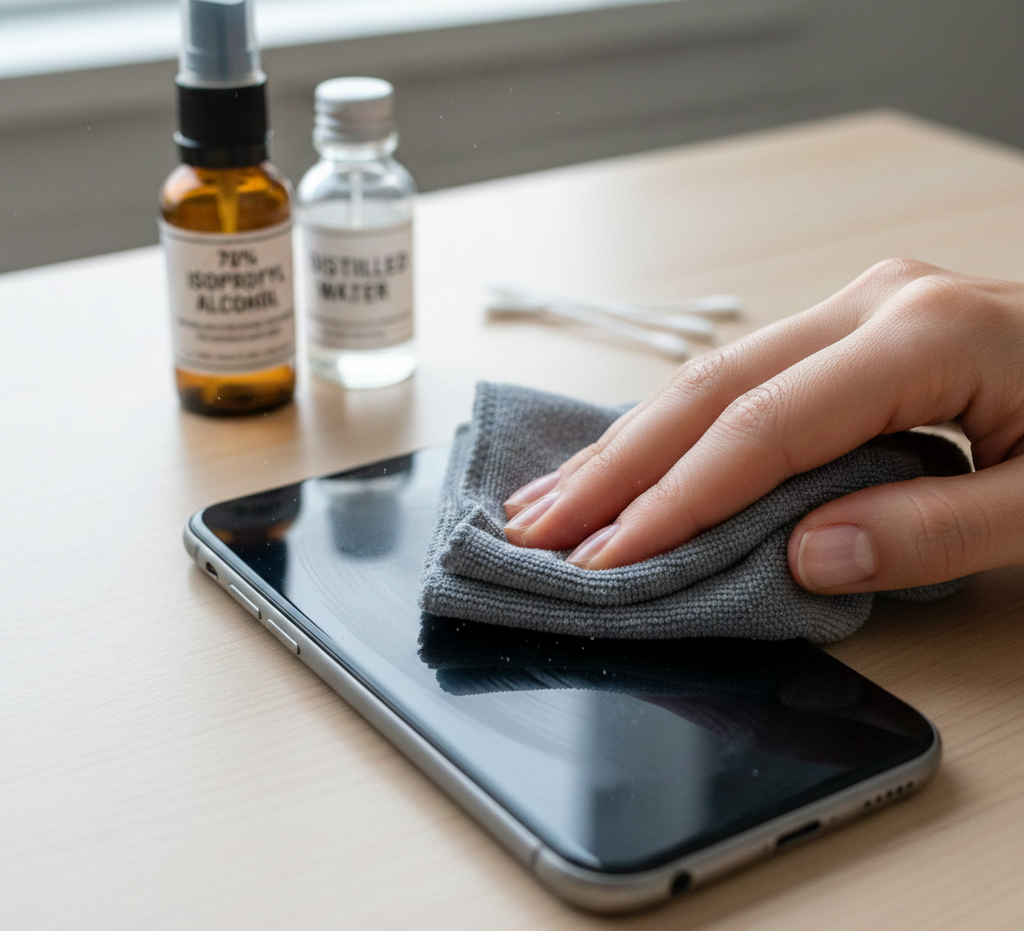
You do not need expensive kits to get the job done. In fact, simple tools often work best. Gather these items before you begin the process:
- Microfiber Cloths: These soft cloths trap dust without scratching the glass.
- Distilled Water: Regular tap water contains minerals that leave streaks.
- Isopropyl Alcohol (70%): Use this only for heavy disinfecting.
- Cotton Swabs: These reach tight corners and speaker grilles.
Step 1: Power Down Your Device
Safety always comes first during this process. First, turn off your phone completely. Unplug any charging cables or headphones. This prevents electrical shorts if moisture enters a port. Additionally, a dark screen reveals hidden smudges and dust more clearly. Removing your case is also a vital step. Dirt often hides beneath the edges of the plastic cover.
Step 2: The Dry Wipe Method
Most people only need a dry cloth for daily maintenance. Start by gently wiping the screen in circular motions. Microfiber pulls oils away from the surface effectively. Do not press down too hard on the glass. Excessive pressure can damage the internal liquid crystals. If the screen looks clear, you can stop here. Otherwise, prepare for a deeper clean.
Step 3: Using Controlled Moisture
Never spray liquid directly onto your phone. Instead, dampen a corner of your microfiber cloth. Use distilled water for a gentle approach. The cloth should feel slightly moist but not dripping wet. Wipe the screen from top to bottom. Then, use the dry side of the cloth to buff the surface. This technique prevents water from seeping into the speakers.
Step 4: Disinfecting the Surface
Sometimes, a simple water wipe is not enough. You might want to kill germs and viruses. For this task, use 70% isopropyl alcohol. Apply a tiny amount to your cloth first. Avoid using 100% alcohol concentrations. Pure alcohol evaporates too quickly and can be too harsh. Gently wipe the back and sides of the phone as well. These areas collect the most bacteria from your hands.
Step 5: Cleaning the Small Crevices
Dust loves to settle in charging ports and speaker holes. Do not use toothpicks or metal needles for these areas. These sharp objects can bend delicate pins. Instead, use a dry cotton swab. Gently swirl it around the port opening. If you see stubborn lint, try a soft-bristled toothbrush. Lightly brush the debris away from the openings.
Step 6: Cleaning Your Phone Case
Your case requires just as much attention as the phone. Most cases are made of plastic or silicone. Therefore, you can wash them with warm, soapy water. Scrub the corners where grime tends to build up. Ensure the case is completely dry before putting it back on. Trapped moisture between the case and phone leads to mold growth.
Common Mistakes to Avoid
Many people ruin their phones by following bad advice. For example, never use paper towels or napkins. These wood-based products contain abrasive fibers that cause micro-scratches. Furthermore, avoid using compressed air. Also, the high pressure can damage the sensitive microphone membranes. Finally, steer clear of vinegar or lemon juice. These acidic liquids eat through screen protectors and coatings.
Protecting Your Screen Long-Term
Prevention is always better than frequent deep cleaning. Consider installing a tempered glass screen protector. This adds an extra layer of defense against scratches and cracks. If the protector gets dirty, you can replace it easily. Also, try to wash your hands more frequently. Clean hands mean fewer oils transfer to your screen throughout the day.
How Often Should You Clean?
The frequency depends on your daily environment. Generally, a quick dry wipe should happen every evening. Perform a deeper disinfection once or twice a week. If you work in a dusty area, clean it more often. Consistent maintenance keeps your device looking brand new for years.
Summary of Best Practices
| Do | Don’t |
| Use microfiber | Use paper towels |
| Power off first | Spray liquid directly |
| Use distilled water | Use window cleaner |
| Apply 70% alcohol | Use sharp metal tools |
Final Thoughts on Phone Care
Your smartphone is a major investment. Treating it with care extends its lifespan significantly. Then, you now know how to remove germs without causing permanent damage. Stick to soft materials and mild cleaners for the best results. A clean screen makes your mobile experience much more enjoyable.
Leave a Reply